
3
failures
~25 min
to recover
11 days
without backups
Hardware: Intel Kaby Lake (Skylake PCH), Kston 120GB SBFC71.2 SATA SSD (~600 MB/s), 6× Intel I211 copper NICs (igb0–igb5), Realtek RTL8812AU USB adapter (rtun0). Networks: 10.57.57.0/24, 10.57.97.0/24.
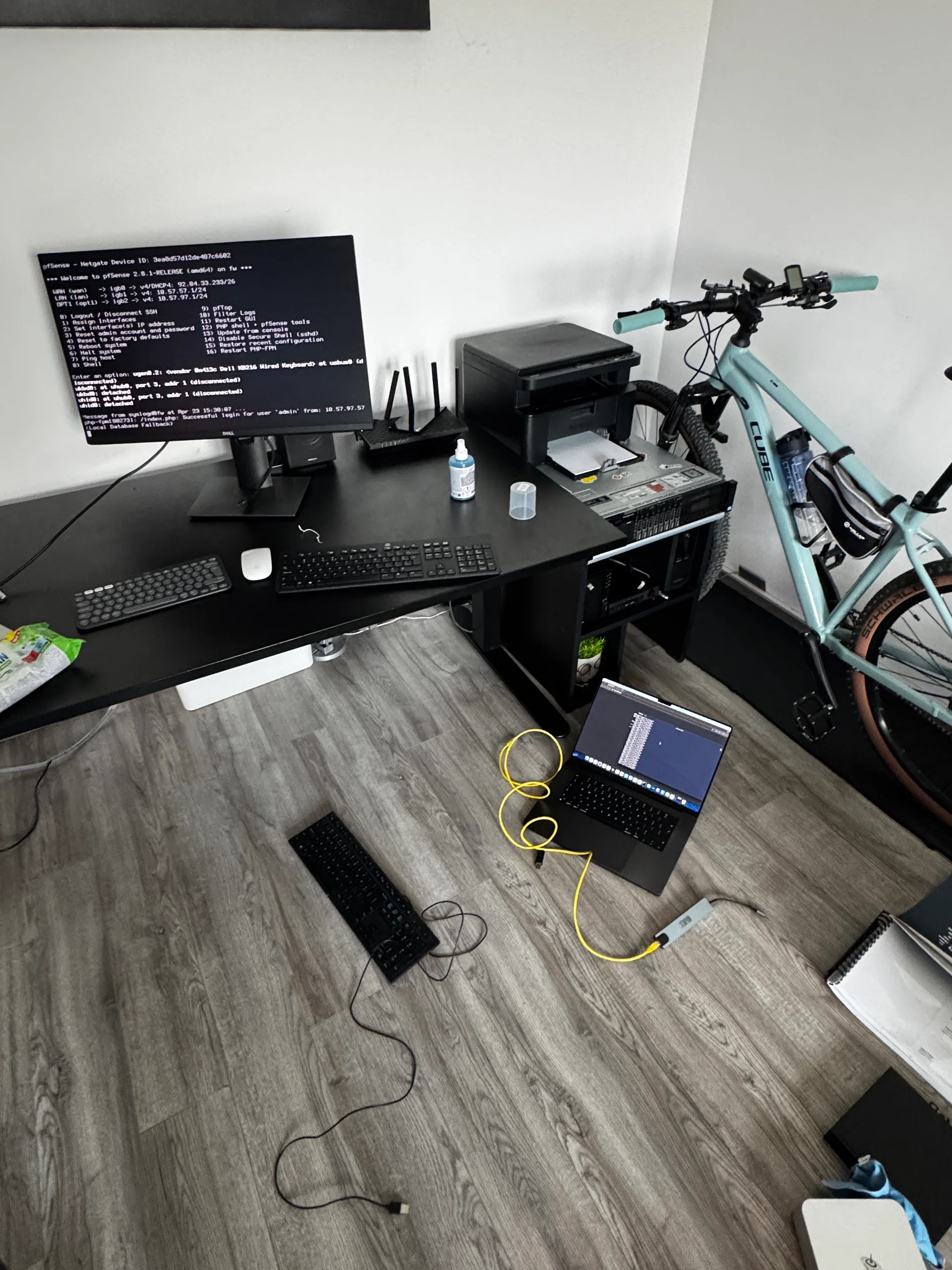
1. CAM disk detection delay #
Symptom. Boot stalled, repeating the same line 6–7 times, then resolved itself after about 30 seconds and the kernel continued:
Root mount waiting for: CAM
Root mount waiting for: CAM
Root mount waiting for: CAM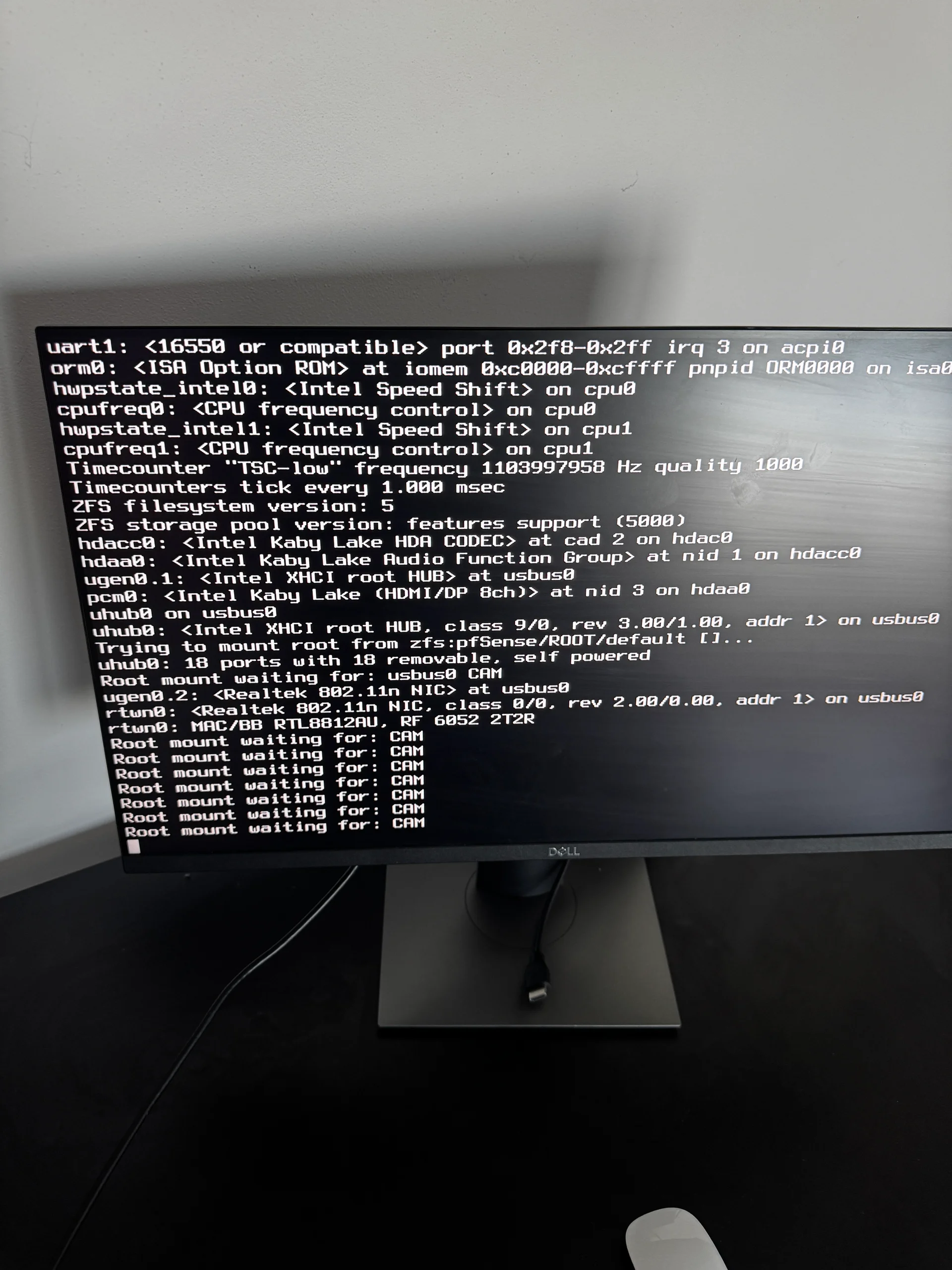
Cause. The AHCI controller on this board is slow to initialize. FreeBSD enumerates storage through CAM (Common Access Method), and the kernel won’t mount root until CAM has finished probing. The SSD takes a while to become visible, so the kernel polls and retries until it does. It isn’t a hardware fault — the delay is deterministic and repeatable.
Fix. None needed; the system boots once CAM finds the disk. If you’d rather have one fixed wait than a screen of retries, set kern.cam.boot_delay above the observed delay. On pfSense it goes in /boot/loader.conf.local — pfSense regenerates loader.conf itself and drops hand edits:
kern.cam.boot_delay="10000"The value is in milliseconds, so this is 10 seconds; the default is 0.
2. The serial console locking out the keyboard #
Symptom. Boot continued, loaded the kernel, and stopped at:
pflog0: promiscuous mode enabledThe pfSense menu never appeared and the keyboard did nothing. The system was running — the NIC LEDs showed the interfaces up — but the screen was frozen.
Cause. The console was configured as Dual Console: Serial Primary. In this mode pfSense sends its menu to the serial port first and video second, and anything waiting for input — the pfSense menu included — expects it from the serial port. The keyboard on the video console has no effect. Two files carry the setting. /boot/loader.conf:
console="comconsole,vidconsole"
boot_multicons="YES"
boot_serial="YES"
and /boot.config, where -D enables dual console and -S115200 sets the serial speed:
-S115200 -DSerial console is the default on some pfSense installations, because the hardware it’s commonly deployed on — rack appliances, embedded boxes — has no monitor. On a desktop-class machine with a keyboard and monitor, serial primary is the wrong setting.
Fix, right now. From the bootloader menu:
- 1
Stop the countdown
At power-on, press Space to pause the boot countdown. - 2
Switch the console
Press 6 to cycle the console setting until it readsCons: Video, notCons: Dual (Serial primary). - 3
Boot
Press 1. The pfSense menu now appears on the monitor and answers the local keyboard.
Fix, permanently. The bootloader switch only lasts one boot. The durable setting is in the web UI: System → Advanced → Admin Access → Console Options, set Primary Console to VGA. pfSense rewrites loader.conf and /boot.config from it, which is why editing those files by hand doesn’t stick.
If the web UI isn’t reachable yet, choose 2 — Boot Single User in the bootloader menu instead, and in the FreeBSD shell:
mount -u /
mount -a
sysrc -f /boot/loader.conf console="vidconsole"
sysrc -f /boot/loader.conf boot_multicons="NO"
sysrc -f /boot/loader.conf boot_serial="NO"
reboot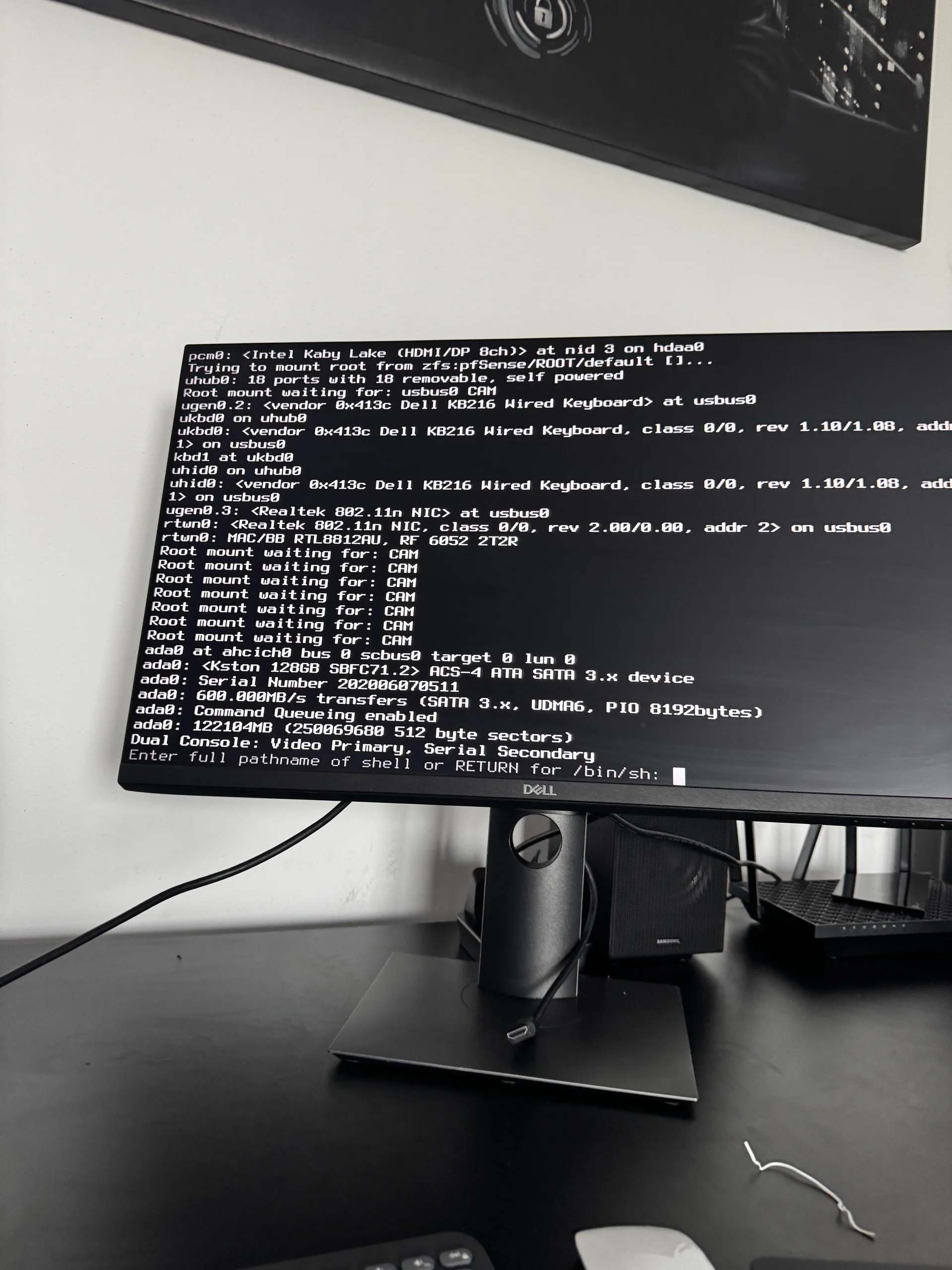
That gets the box up; set the console option in the web UI afterwards so the next config write doesn’t put serial back.
If you need serial console access — IPMI-less remote management, headless rack deployment — keep these settings and connect a USB-to-serial adapter to a management host instead. Removing serial support on an appliance you can’t physically reach is how you brick a remote machine.
3. Network interface mismatch #
Symptom. After the clean reboot, pfSense detected six physical interfaces (igb0–igb5), but the stored config.xml referenced a different assignment, and pfSense dropped into the interface assignment wizard.
Cause. The USB Realtek RTL8812AU (rtun0) was connected. USB network devices enumerate late in boot, and whether one is present can change what the kernel sees. A config.xml saved with one USB state doesn’t necessarily match the next boot — the wizard was the right response.
Fix. Re-assign interfaces in the wizard:
- WAN →
igb0(the uplink port, identified by MAC) - LAN →
igb1 - OPT1 →
igb2 - the remaining ports and VLANs as configured
Confirm and reboot. pfSense came up fully: LAN, WAN, OPT1, VLANs, OpenVPN, DNS Resolver and firewall rules, all from the existing config.
MAC addresses are the reliable identifier here. When the wizard shows the interface list, match by MAC against your notes or a previous ifconfig dump — not by port number or kernel name.
Preventing all three #
- Serial console. On any fresh install on hardware with a monitor, set Primary Console to VGA in the web UI right away.
- USB NIC enumeration. With a USB NIC plugged in, expect the interface list to change across reboots. Remove it, or assign by MAC and verify after every reboot that involved hardware changes.
- CAM delay. If the stall bothers you, or a watchdog might reboot the box mid-boot, set
kern.cam.boot_delayinloader.conf.local. One line, and the uncertainty is gone.
Total time from accidental reboot to fw.merox.dev fully online: about 25 minutes, most of it spent figuring out the serial console from a machine with no serial adapter attached.
Epilogue — the 11-day blast radius #
After fw.merox.dev came back, everything looked fine. Tailscale showed online, pfSense passed traffic, the cluster was healthy. What wasn’t obvious: the Tailscale interface had not been re-added to pfSense’s interface list after the wizard.
The static route for 100.64.0.0/10 (Tailscale’s CGNAT range) still existed, but its gateway now sat on WAN instead of the Tailscale interface. pfSense was routing all Tailscale peer traffic out the WAN, where it was silently dropped.
It surfaced 11 days later, when a routine check showed Longhorn had no backup since April 23. The error was a timeout deep in the Longhorn engine, listing objects in s3://longhorn@us-east-1/:
timeout executing: longhorn [longhorn system-backup list s3://longhorn@us-east-1/]The backup target was the Garage S3 instance on the cloud node, reachable only over Tailscale. Every night at 02:00 the recurring job fired, went out the wrong interface, and timed out. No alert, no crash — just no backups.
Fix. Edit the gateway in pfSense and change its interface from WAN to Tailscale. One field. The static route for 100.64.0.0/10 was correct all along.
After any interface re-assignment, audit the virtual interfaces separately — Tailscale, OpenVPN, VLANs. The wizard only handles physical NICs; anything configured as a pfSense interface on top of a virtual adapter has to be re-added by hand.