

Deployment and Post-Setup Verification
Overview

Deployment and Post-Setup Verification

December 17, 2024
1 min read

This final guide covers the deployment process, post-deployment verification, and best practices for maintaining your homelab automation.

Post Deployment

A successful deployment will show the following output in your console:

Post Deployment Console Output

You can now access your Docker environment via Portainer using the IP (IP_MACHINE) and port 9000. Example:

http://172.20.0.252:9000

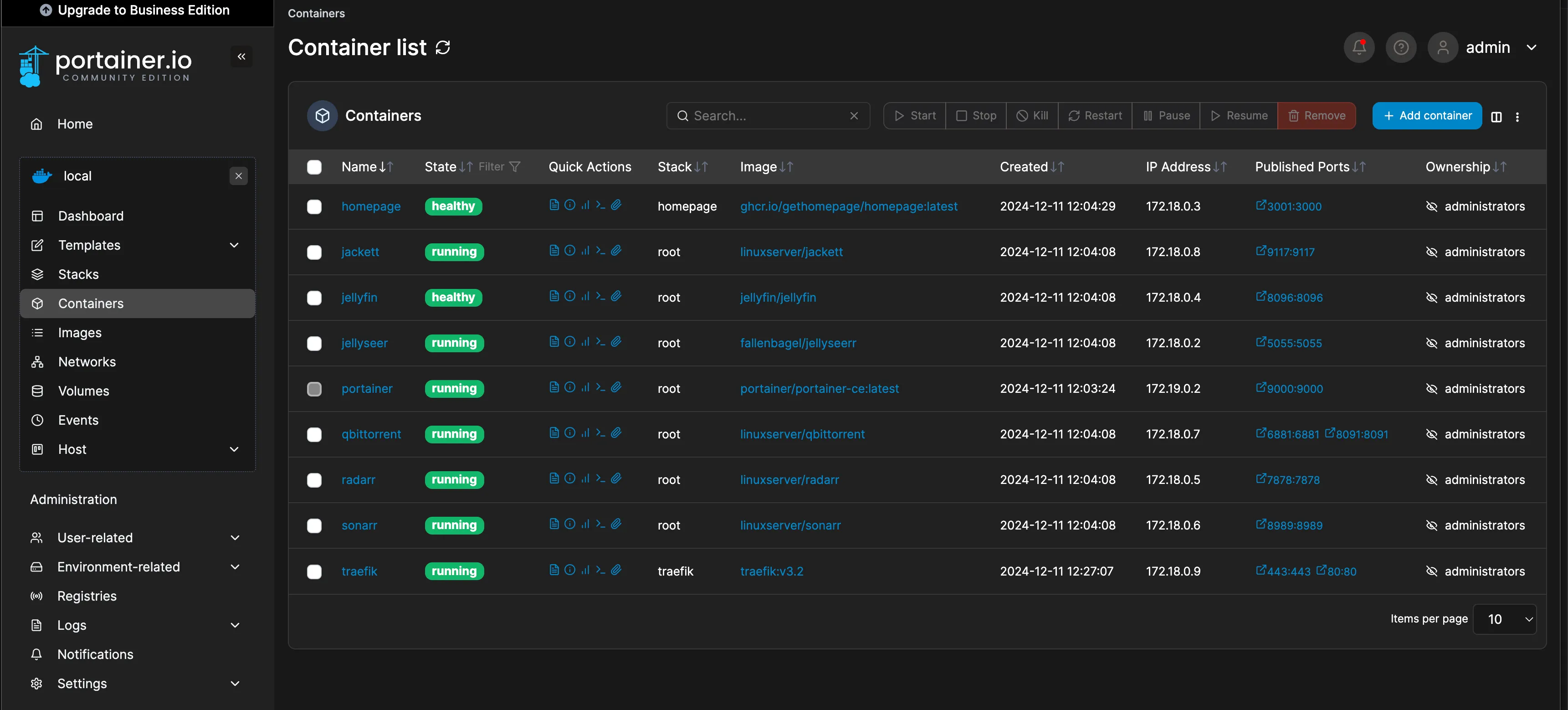
After setting up your Portainer user, you should see a dashboard like this:

Portainer Dashboard Example

Tip

⚠️ Best Practice: Regularly check your automation, at least monthly, to ensure everything is functioning correctly.

If you encounter issues, leave a comment, and I’ll assist as soon as possible.

Conclusion

Thank you for exploring this Homelab as Code project! By combining Packer, Terraform and Ansible, we’ve streamlined homelab automation and setup. I hope this guide inspires you to enhance your IT skills and optimize your infrastructure.

Happy homelabing, and don’t hesitate to share your journey or questions—your feedback is always appreciated! 🚀

Future Plans

In the coming weeks, I plan to expand this project by adding support for VM deployment using Cloud-Init and Packer. Additionally, I’m considering integrating advanced Ansible projects, such as K3S from TechnoTim, to enhance the automation and scalability of homelab environments.

Share this post

How did you like this post?