From WordPress to Hugo: My Setup Explained
Why I moved from WordPress to Hugo, and how the site runs today — GitHub Actions, GitHub Pages, and Cloudflare.
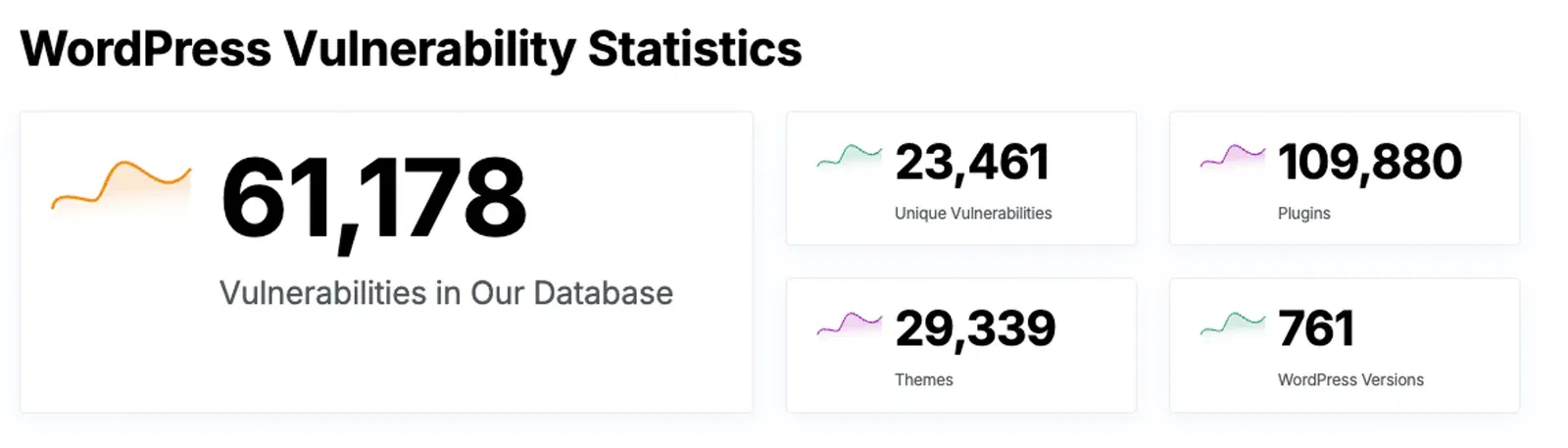
Ten years of WordPress taught me enough to know when to leave. Tuning PHP configs, switching to LiteSpeed, keeping plugins patched — for a blog. Every plugin is another attack surface, and the database is a bottleneck a site with no logged-in users doesn’t need.
The honest second reason is that the alternative is more interesting to run. A git push triggers a build, and the result deploys globally. Writing a post is a markdown file in a repo. If you spend your day in a terminal, that’s the version of a website you actually want to own.
Hugo
merox.dev ran on Hugo for over six months before I wrote this. Static files, no backend, free hosting on GitHub Pages, all of it in git. Hugo is Go, so builds are fast, and the output is clean enough that SEO scores came in above 80% with no extra work.
I went with the Blowfish theme. Forking it first and adding the fork as a submodule is what lets you take upstream updates later without losing your own changes:
git submodule add https://github.com/YOURUSERNAME/blowfish themes/blowfishThe real cost of Hugo is that there is no dashboard. If you’re not comfortable in a terminal and in Markdown, you will hate this, and WordPress is the correct answer for you.
GitHub Pages and Cloudflare
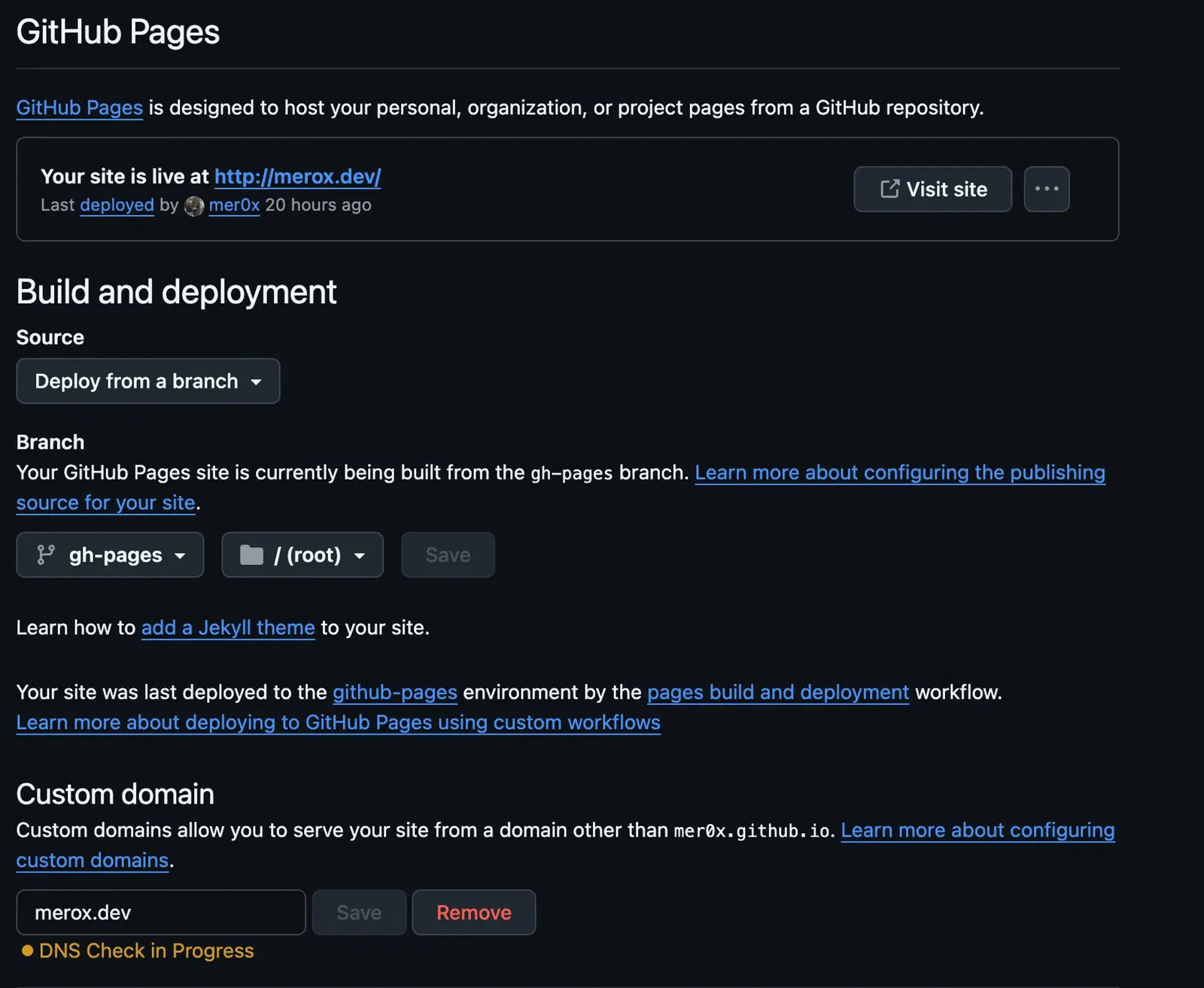
Source in a private repo, output in a public one:
flowchart LR
  src["private repo<br/>Hugo source"] -- push --> ci["GitHub Actions<br/>hugo --minify"]
  ci -- deploy key --> pub["public repo<br/>gh-pages"]
  pub --> pages["GitHub Pages"]
  cf["Cloudflare DNS"] --> pages
Private repo
Push the Hugo project to it.
Public repo
Enable GitHub Pages on branch
gh-pages, folder/.Cloudflare
A CNAME for
www→yourusername.github.io, and for the apex either a flattened CNAME to the same name or A records for the GitHub Pages IPs.
Deploys with GitHub Actions
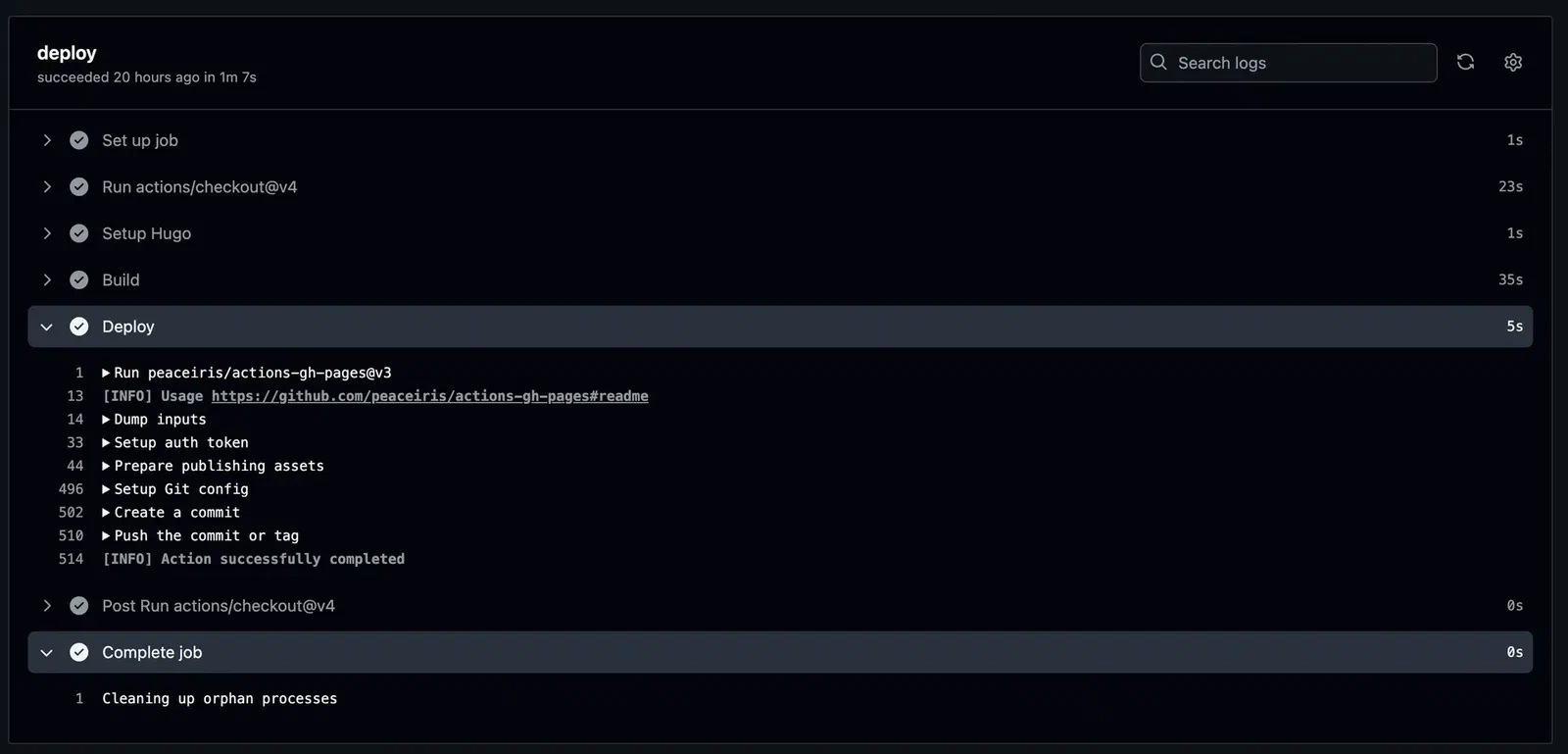
Edit in VS Code, push to the private repo, Actions builds and pushes the output to the public one. Crossing the repo boundary needs a deploy key — the default GITHUB_TOKEN can’t write to a different repository.
Generate the pair:
ssh-keygen -t ed25519 -C "github-deploy" -f deploy_key -N ""The public half goes on the public repo, under Settings → Deploy Keys, with write access ticked. The private half goes on the private repo, under Settings → Secrets, as PRIVATE_KEY. Getting these two backwards is the usual reason the first run fails.
name: github pages

on:
  push:
    branches:
      - master

permissions:
  contents: read

jobs:
  deploy:
    runs-on: ubuntu-latest
    steps:
      - uses: actions/checkout@v4
        with:
          submodules: true
          fetch-depth: 0

      - name: Setup Hugo
        uses: peaceiris/actions-hugo@v3
        with:
          hugo-version: 'latest'
          extended: true

      - name: Build
        run: hugo --minify

      - name: Deploy
        uses: peaceiris/actions-gh-pages@v4
        with:
          deploy_key: ${{ secrets.PRIVATE_KEY }}
          external_repository: meroxdotdev/merox.dev
          publish_branch: gh-pages
          publish_dir: ./public
          cname: merox.dev
submodules: true matters — without it the theme isn’t checked out and the build fails on a missing layout rather than on anything that mentions submodules. cname writes the CNAME file into the published branch on every deploy. A CNAME at the root of the source repo never reaches ./public, so the first deploy removes it from gh-pages and the custom domain drops. The job itself only reads this repo — the push to the other one goes over the deploy key, not GITHUB_TOKEN.
What it scored
No SEO configuration beyond what the theme ships with.
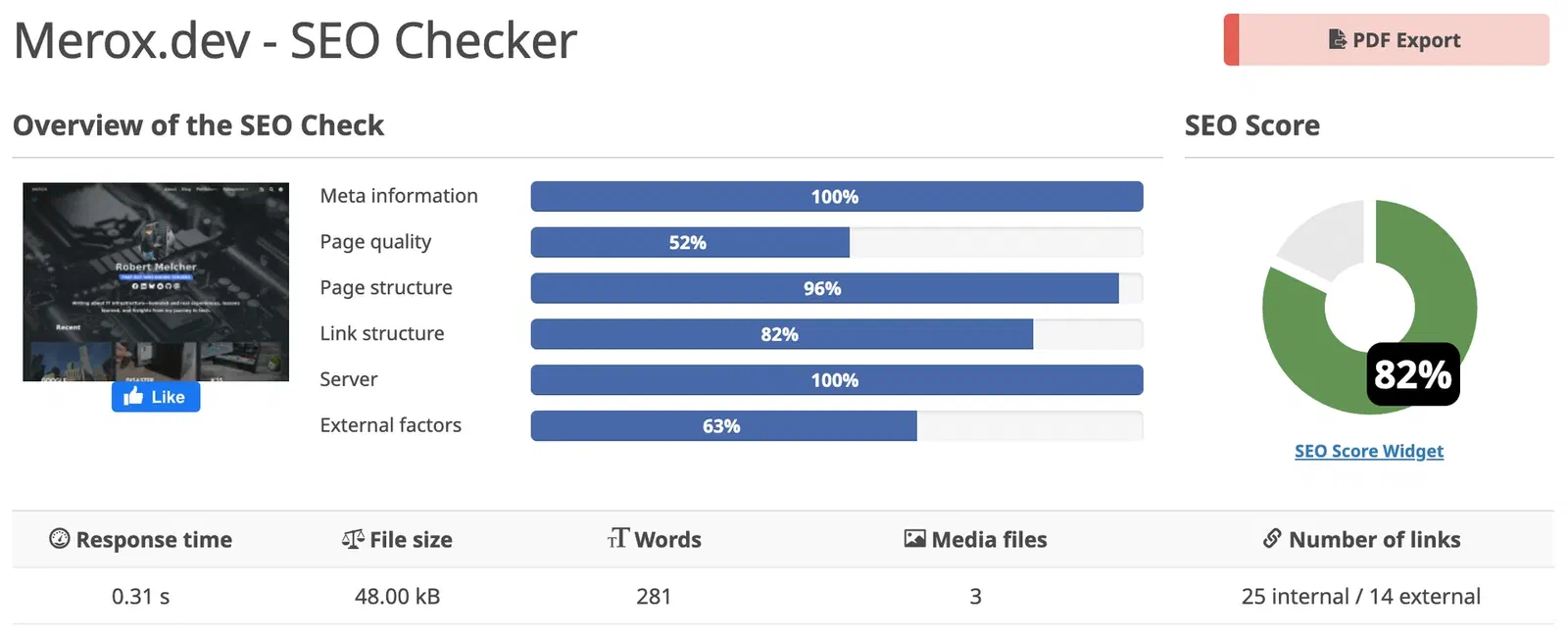
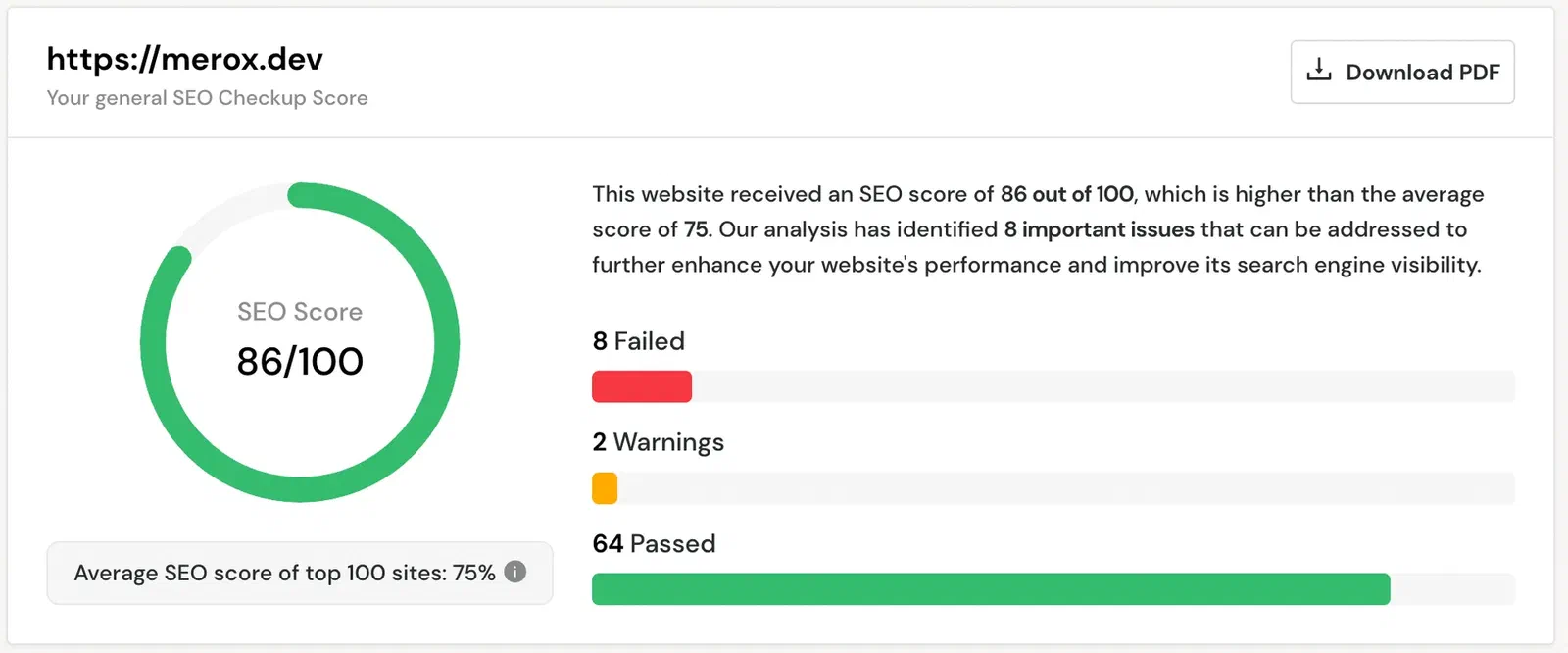
Measured with freetools.seobility.net and seositecheckup.com.
Six months in, the maintenance list was empty. No plugin updates, no PHP version to chase, nothing listening that could be broken into — the whole site is files on a CDN, and the only thing that can go wrong is a build I pushed myself.