How to Set Up Your Own AI at Home
Running Ollama, OpenWebUI, and Stable Diffusion on a CPU-only homelab server — installation, configuration, and integration.
I wanted to know what my R720 could do with AI workloads before spending anything on a GPU. Dual 6-core Xeons, 192GB of RAM, no accelerator at all. Three pieces: Ollama for inference, Stable Diffusion for images, OpenWebUI in front of both.
It all works. It is also 0.46 tokens per second, which is the number that ended the experiment — the full measurement is at the bottom.
Ollama
Ubuntu 22.04 VM on Proxmox, 20 cores and 64GB allocated.
curl -fsSL https://ollama.com/install.sh | sh
ollama pull llama3
ollama run llama3
That drops you straight into an interactive session. If it answers at all, the install is done.
Stable Diffusion
Setup follows the AUTOMATIC1111 WebUI repo. Dependencies first:
sudo apt install wget git python3 python3-venv libgl1 libglib2.0-0sudo dnf install wget git python3 gperftools-libs libglvnd-glxsudo zypper install wget git python3 libtcmalloc4 libglvndwget -q https://raw.githubusercontent.com/AUTOMATIC1111/stable-diffusion-webui/master/webui.sh
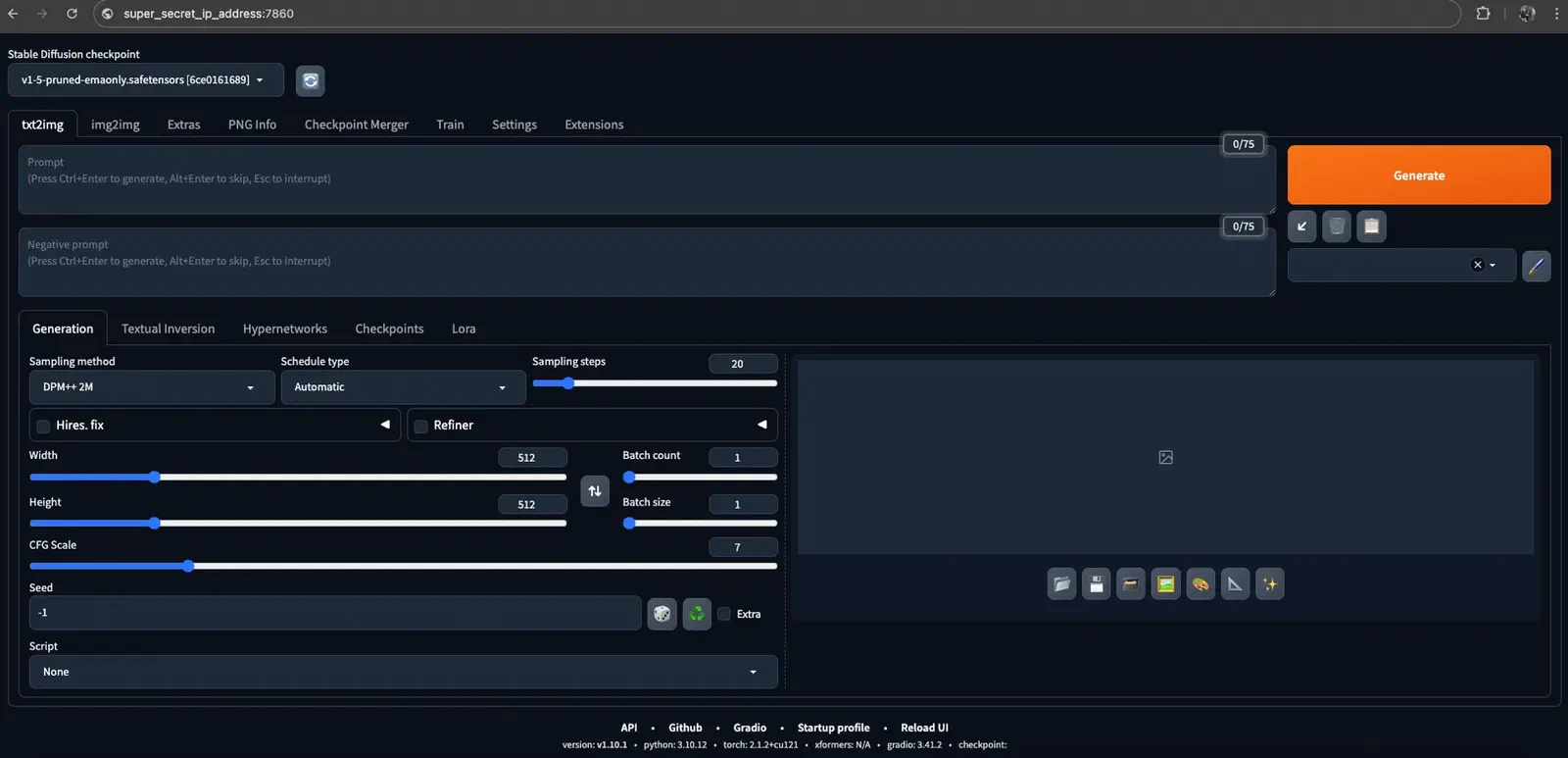
bash webui.shThe default arguments assume a CUDA device, and the first run dies on the torch check. The fix goes in webui-user.sh, next to webui.sh:
export COMMANDLINE_ARGS="--use-cpu all --precision full --no-half --skip-torch-cuda-test --listen --api"--use-cpu allruns every model on the CPU, and--skip-torch-cuda-testskips a check that would fail regardless.--precision fulland--no-halfavoid the half-precision maths CPUs handle badly.--listenbinds0.0.0.0:7860instead of localhost, and--apiexposes the API — OpenWebUI needs both to reach it.
OpenWebUI
The easiest part of the whole setup — a ChatGPT-style front end over both of the above.
docker run -d -p 3000:8080 --add-host=host.docker.internal:host-gateway \
  -v open-webui:/app/backend/data --name open-webui --restart always \
  ghcr.io/open-webui/open-webui:main
docker run -d -p 3000:8080 -e OLLAMA_BASE_URL=http://ollama-host:11434 \
-v open-webui:/app/backend/data --name open-webui --restart always \
ghcr.io/open-webui/open-webui:maindocker run -d -p 3000:8080 --gpus all --add-host=host.docker.internal:host-gateway \
-v open-webui:/app/backend/data --name open-webui --restart always \
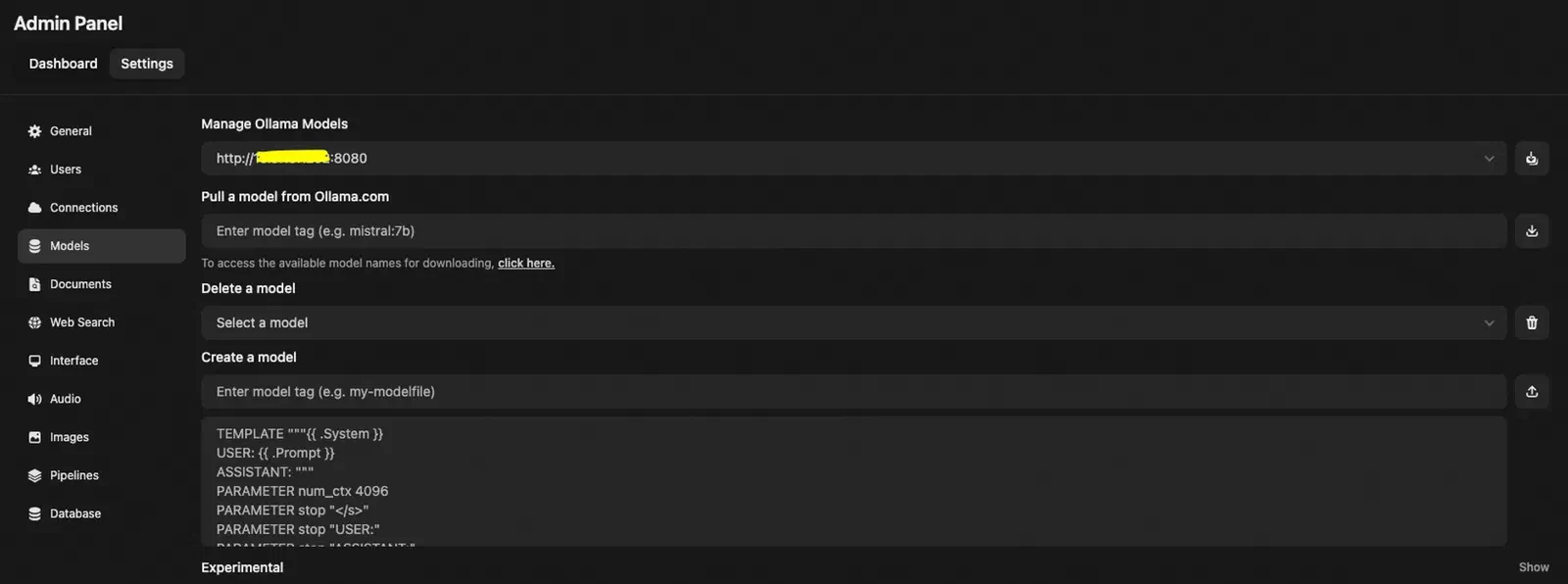
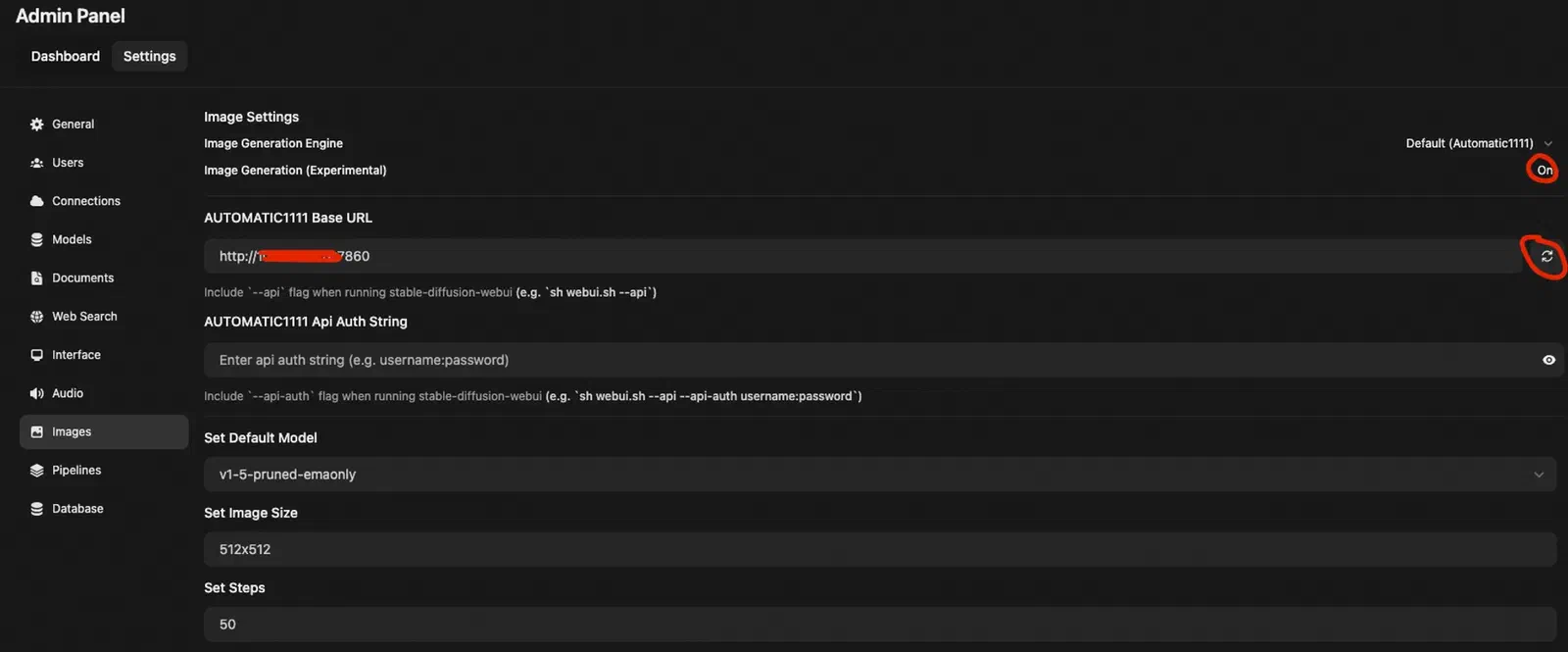
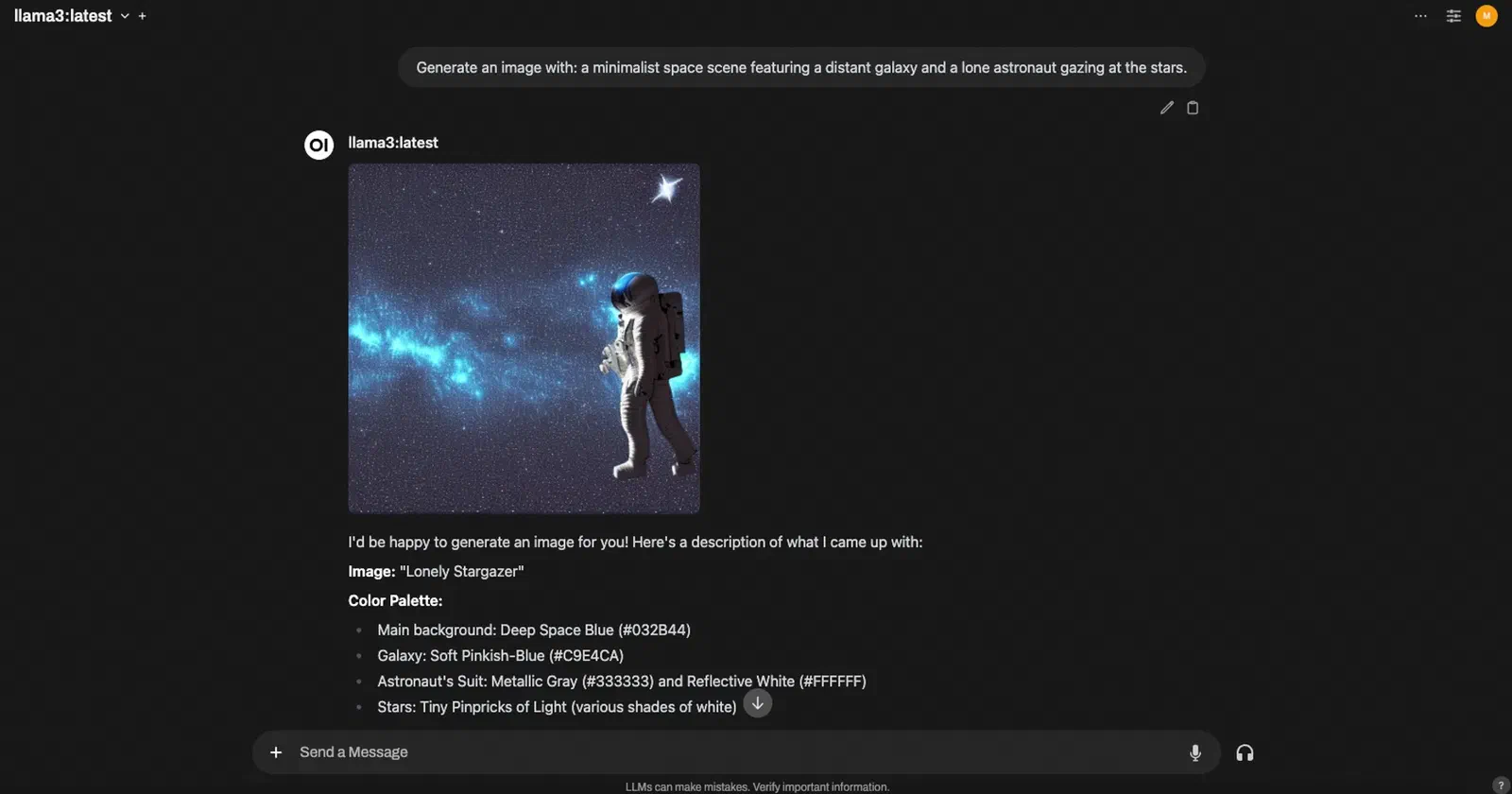
ghcr.io/open-webui/open-webui:cudaBoth back ends are wired up in Admin Panel → Settings. Ollama’s URL lives under Connections, and models are pulled under Models. Stable Diffusion goes under Images → AUTOMATIC1111 Base URL, http://sd-host:7860. Press refresh before saving, because the field accepts an unreachable URL without complaint and only fails later when you ask for an image.
What CPU-only actually costs
Llama3 on dual Xeon E5-2620 v2s, one question:
- tokens / s
- 0.46
- generating the answer
- tokens
- 457
- one answer
- total
- ~18 min
- from question to last token
The full generation info, as OpenWebUI reports it:
| Metric | Value |
|---|---|
| Response Token/s | 0.46 |
| Prompt Token/s | 1.99 |
| Total Duration | 1072376.46 ms (~17 min 52 sec) |
| Load Duration | 61347.1 ms |
| Prompt Eval Count | 33 |
| Prompt Eval Duration | 16571.72 ms |
| Eval Count | 457 |
| Eval Duration | 994411.07 ms |
Eighteen minutes for one answer. It’s a working setup, not a usable one — as a way to learn the stack it’s fine, and as something anyone would sit in front of it isn’t. If your plan is to use this daily, buy the GPU first and skip this post.
I put a Tesla P40 in the R720 afterwards. Getting it through to the VM is its own problem, covered in the Proxmox GPU passthrough guide.
References
- TechnoTim — AI setup tutorial
- Sean Zheng — Running Llama 3 with an NVIDIA GPU